
Credential Sharing#
Open edX Credentials service supports multiple ways to share and recognize learner achievements beyond traditional certificates. Learners and institutions can distribute verified credentials to third-party platforms, professional networks, and digital wallets.
This section covers two sharing mechanisms.
Digital Badges - issue digital badges through providers like Credly and Accredible. Badges recognize specific achievements like course completions or skill milestones and can be displayed on LinkedIn, personal websites, and other platforms.
Verifiable Credentials - issue W3C-compliant verifiable credentials that learners store in digital wallets. These credentials are cryptographically signed and independently verifiable without contacting the issuer.
Architecture#
Three roles interact with the credential sharing system: Site Admins configure badge templates and VC issuing, Learners complete courses and earn credentials, and Verifiers (employers, institutions) check credential revocation status. Credentials flow to external Digital Wallets and Digital Badge Platforms.
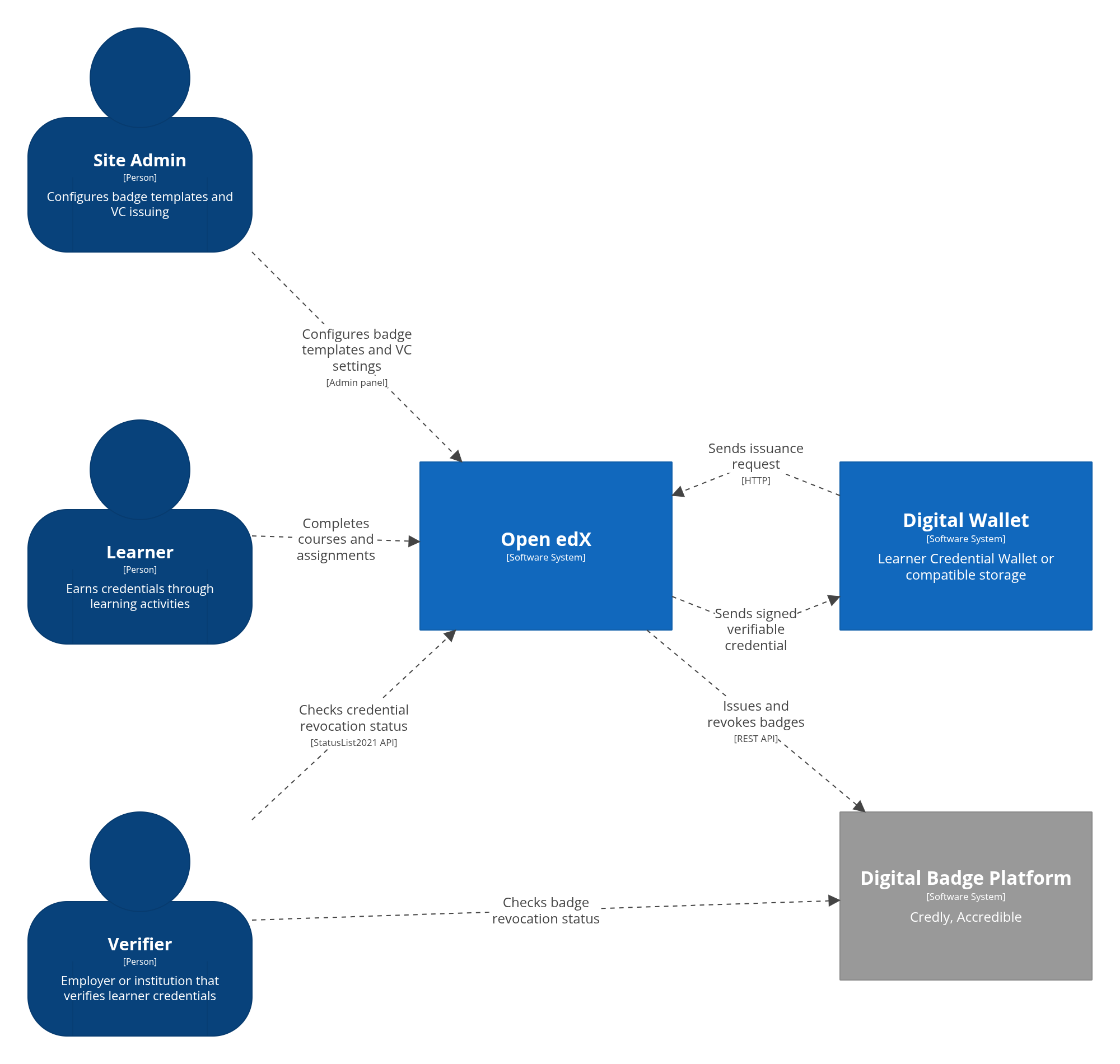
The system context diagram shows which actors stay inside Open edX and which interactions cross into external wallet and badge-provider systems.
Inside the platform, the Open edX Platform (LMS) publishes certificate and course-passing events to the Event Bus. The Credentials service consumes these events, stores achievement data in its database, issues and revokes badges on external platforms via REST API, and sends signed verifiable credentials to learner wallets.
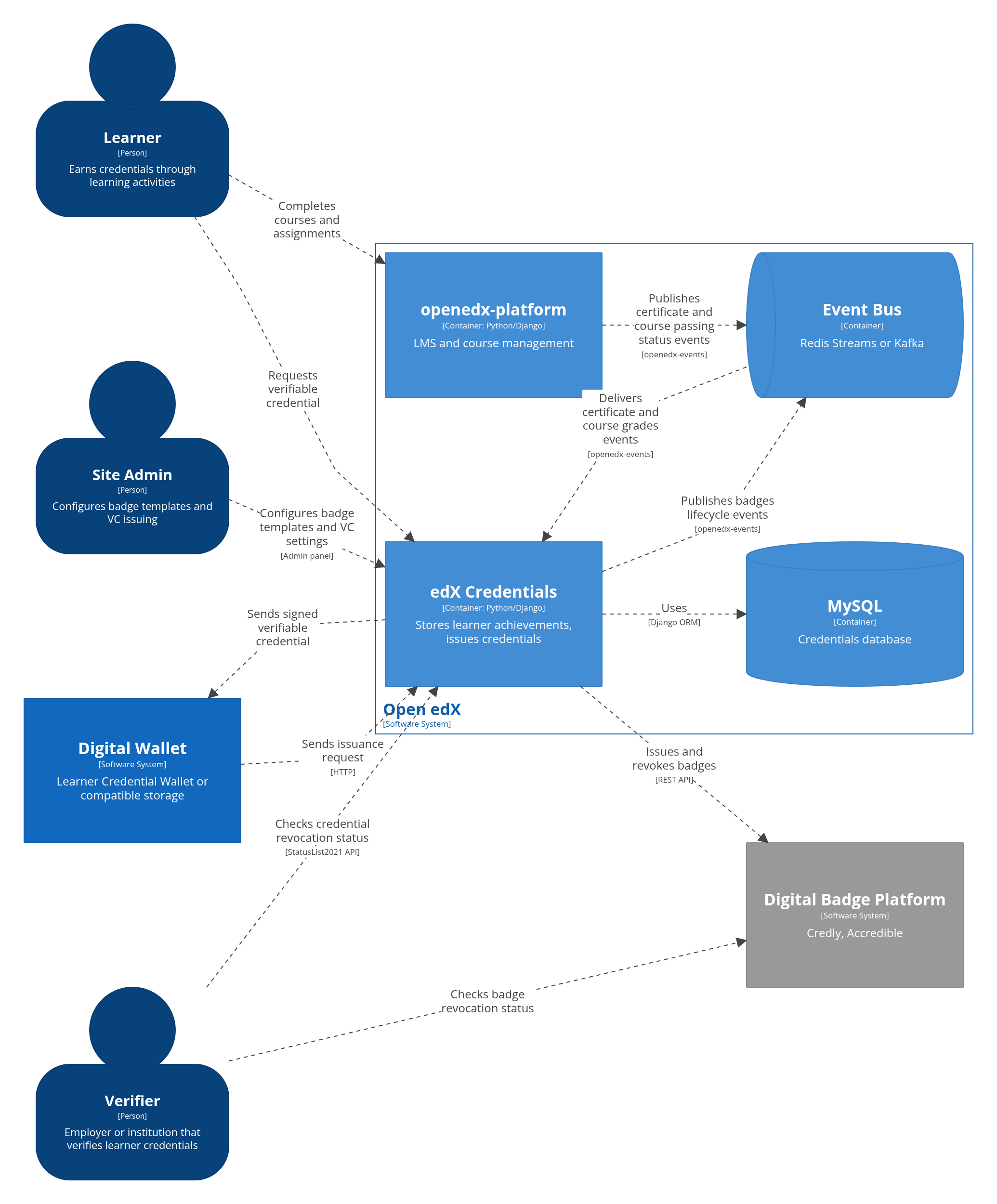
The container diagram shows the event-driven path from course activity in the LMS to credential issuance in the Credentials service.
Start with the Quick Start guide in each section for step-by-step setup instructions.